bluebit --- blue:bit驱动
blue:bit 模块提供bluebit套件的掌控板库。
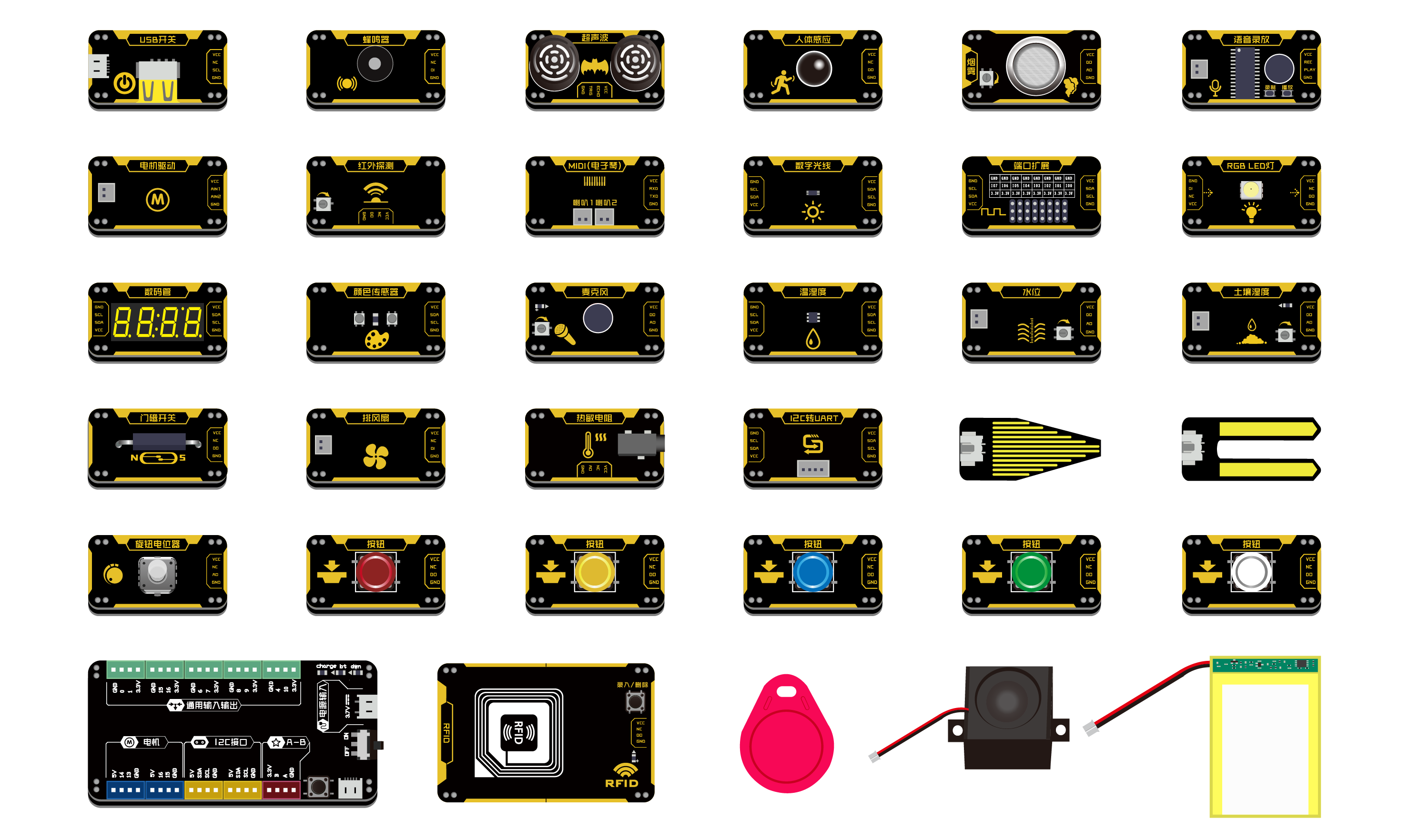
NTC模块
- class bluebit.Thermistor(pin, series_resistor=10000.0, nominal_resistance=10000.0, nominal_temperature=25.0, b_coefficient=3935.0, high_side=True)
NTC 模块。也适用于其他的热敏电阻。
- 参数:
pin -- 掌控板引脚号,如使用P0,pin=0.
series_resistor -- 与热敏电阻连接的串联电阻器的值。默认是10K电阻。
nominal_resistance -- 在标称温度下热敏电阻的阻值。
nominal_temperature -- 在标称电阻值下热敏电阻的温度值(以摄氏度为单位)。默认使用25.0摄氏度。
b_coefficient -- 热敏电阻的温度系数。
high_side -- 表示热敏电阻是连接在电阻分压器的高侧还是低侧。默认high_side为True。
- getTemper()
获取温度,读取异常则返回None
- 返回:
温度,单位摄氏度
- bluebit.NTC
Thermistor的别名
LM35模块
四按键模块
温湿度模块
颜色模块
数字光线模块
超声波模块
4段数码管模块
8x8点阵模块
- class bluebit.Matrix(i2c=i2c)
8x8点阵模块控制类
i2c: I2C实例对象,默认i2c=i2c.
- Matrix.blink_rate(rate=None)
设置像素点闪烁率
rate: 闪烁间隔时间,单位秒.默认None,常亮.
- Matrix.brightness(brightness)
设置像素点亮度
brightness: 亮度级别,范围0~15.
- Matrix.fill(color)
填充所有
color: 1亮;0灭
- Matrix.bitmap(bitmap)
显示位图
bitmap: 8x8点阵数据
- Matrix.show()
显示生效
除上述函数方法外,还继承 FrameBuffer 类 ,有关其他方法,如显示字符,绘制函数。详情可查阅 micropython framebuf模块 FrameBuffer 类.
LCD1602模块
- class bluebit.LCD1602(i2c=machine.I2C)
LCD1602模块控制类
- 参数:
i2c -- I2C实例对象,默认i2c=i2c.
- LEFT_TO_RIGHT = 0
文本方向常量-从左到右
- RIGHT_TO_LEFT = 1
文本方向常量-从右到左
- Init()
1602初始化函数
- Clear()
清屏
- setCursor(col, row)
设置光标位置
- 参数:
col -- 列,1~16
row -- 行,1~2
- move_left()
左滚动显示
- move_right()
右滚动显示
- property text_direction
文本方向
- createChar(location, charmap=[])
制作用户自定义 Fill one of the first 8 CGRAM locations with custom characters. The location parameter should be between 0 and 7 and pattern should provide an array of 8 bytes containing the pattern. E.g. you can easily design your custom character at http://www.quinapalus.com/hd44780udg.html To show your custom character use
- 参数:
location -- integer in range(8) to store the created character
pattern (~bytes) -- len(8) describes created character
- Home()
光标返回屏幕原点
MIDI模块
MP3模块
OLED模块
- class bluebit.OLEDBit(*args: Any, **kwargs: Any)
bluebit OLED模块类
- 参数:
rx,tx -- 接收,发送引脚
- font_5x7 = 0
字体常量-5*7英文字体
- font_song16 = 1
字体常量-16*16宋体
- font_song24 = 2
字体常量-24*24宋体
- font_consol32 = 3
字体常量-32*32宋体
- Print(str, x, y, font=micropython.const)
显示中英文字符串,支持字体 '0' =Font5x7, '1' = 宋体16x16, '2' = 宋体24x24, '3' = Consolas32x32
- 参数:
str (str) -- 中英文字符串
y (int x) -- 显示坐标
font -- 字体类型,
font_5x7,font_song24,font_consol32;
- clear(x0=0, y0=0, x1=127, y1=63)
清除,默认全屏清除,也可以局部清除
- 参数:
y0 (int x0) -- 抹去区域左上坐标
y1 (int x1) -- 抹去区域右下坐标
- show()
显示生效,当使用framebuf类方法后使用show()刷新屏幕.
- Bitmap(x, y, bitmap, w, h, c)
显示图案
- 参数:
y (int x) -- 起点坐标
bitmap -- 图案1bit数据
w,h -- 图案宽高
c -- 颜色,1 or 0
红外接收模块
红外发射模块
实验探究类
适用的模块有电压、电流、磁场、电导率、PH、光电门、气压、力传感器。
- class bluebit.DelveBit(address, i2c=machine.I2C)
实验探究类的blue:bit,适用的模块有电压、电流、磁场、电导率、PH、光电门、气压、力传感器
- 参数:
address -- 模块的I2C地址,可再模块拨动选择不同的地址避免冲突。
i2c -- I2C实例对象,默认i2c=i2c
- common_measure()
获取实验探究类传感器测量值的通用函数
- Return int:
返回传感器测量值,单位:电压(V)、电流(A)、磁场(mT)、电导率(uS/cm)、PH(pH)、光电门(s)、气压(kPa)、力传感器(N)
- photo_gate()
Photogate Timer 是用来记录刚触发时刻和触发结束时刻的时间。计算信号的正脉宽时间,当输入信号由低变高为触发开始点,由高变低位触发触发结束点,计算之间的时间差。
- Return int:
返回正脉宽时间,单位秒
编码电机模块
- class bluebit.EncoderMotor(address, i2c=machine.I2C)
blue:bit编码电机驱动,提供pwm、cruise、position 三种驱动方式。
- 参数:
address -- 模块的I2C地址,可再模块拨动选择不同的地址避免冲突。
i2c -- I2C实例对象,默认i2c=i2c
- PWM_MODE = b'\x05'
pwm模式
- CRUISE_MODE = b'\n'
巡航模式
- POSITION_MODE = b'\x0f'
定位模式
- motor_stop()
停止编码电机转动
- set_pwm(speed1, speed2)
pwm模式
- 参数:
speed1 -- 设置M1通道编码电机速度,范围-1023~1023
speed2 -- 设置M2通道编码电机速度,范围-1023~1023
- set_cruise(speed1, speed2)
Cruise巡航模式,设定速度后,当编码电机受阻时,会根据反馈,自动调整扭力,稳定在恒定的速度。
- 参数:
speed1 -- 设置M1通道编码电机速度,范围-1023~1023
speed2 -- 设置M2通道编码电机速度,范围-1023~1023
- set_position(turn1, turn2)
定位模式,可设置编码编码电机定点位置,范围-1023~1023。
- 参数:
turn1 -- 设置M1通道编码电机定位,-1023~1023
turn2 -- 设置M2通道编码电机定位,-1023~1023
RFID模块
- class bluebit.Scan_Rfid
扫描Rfid卡类.
- classmethod scanning(i2c=machine.I2C)
扫描RFID卡,返回Rfid对象
- 参数:
i2c (obj) -- I2C实例对象
- 返回:
返回Rfid对象